Toddler Baby Phone Learning Game
About
Toddler Baby Phone offers a simple, ad-free experience that helps young children recognize numbers and letters. The painting feature adds a creative twist, keeping kids engaged. It is ideal for short learning sessions and builds foundational skills without pressure. Parents will appreciate the thoughtful design and lack of distractions.
Game Introduction
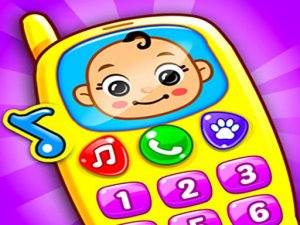
Toddler Baby Phone Online Educational Game - Learning Game is a delightful and safe virtual phone experience designed for young children. The game offers a playful way for toddlers and preschoolers to explore numbers, letters, and colors. With a cheerful and simple interface, it encourages early learning through interactive touch-based activities. This game provides a wholesome screen-time alternative that feels like a real phone, helping kids build foundational skills in a fun and engaging environment.
How to Play
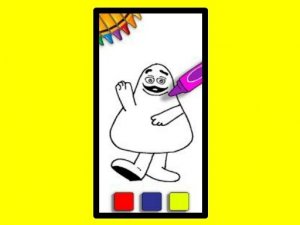
Playing Toddler Baby Phone is easy and intuitive for little ones. Children tap on the virtual phone screen to start exploring. They can press number buttons to hear and see numbers, or press letter buttons to learn the alphabet. The painting feature lets kids pick a color and color different shapes and pictures on the screen. There are no complex rules or timers, so children can learn at their own pace. The game is responsive to touch, making it ideal for use on tablets, phones, or computers.
Game Features
This game includes a safe and educational virtual phone for toddlers. It offers bright colors and cheerful sounds to keep children engaged. The game supports early literacy and numeracy skills through number and letter activities. A painting feature encourages creativity by allowing kids to choose colors and fill in shapes. The interface is simple and designed for young children, with no ads or in-app purchases. It provides a gentle introduction to letters, numbers, and colors, building confidence through simple interactions.
Tips for Success
Encourage children to explore all the buttons and features at their own pace. Let them repeat activities they enjoy, as repetition helps reinforce learning. Use the painting feature to talk about colors and shapes, expanding vocabulary. For best results, play together with your child, guiding them gently and praising their efforts. Keep sessions short and fun to maintain interest. Regular, brief interactions can help build familiarity with numbers and letters over time.
Compatibility
This H5 game runs smoothly on: • Desktop computers (Windows / Mac) • Mobile phones (iPhone / Android) • Tablets (iPad / Android) 🌐 Best experienced with Chrome, Safari, or Edge